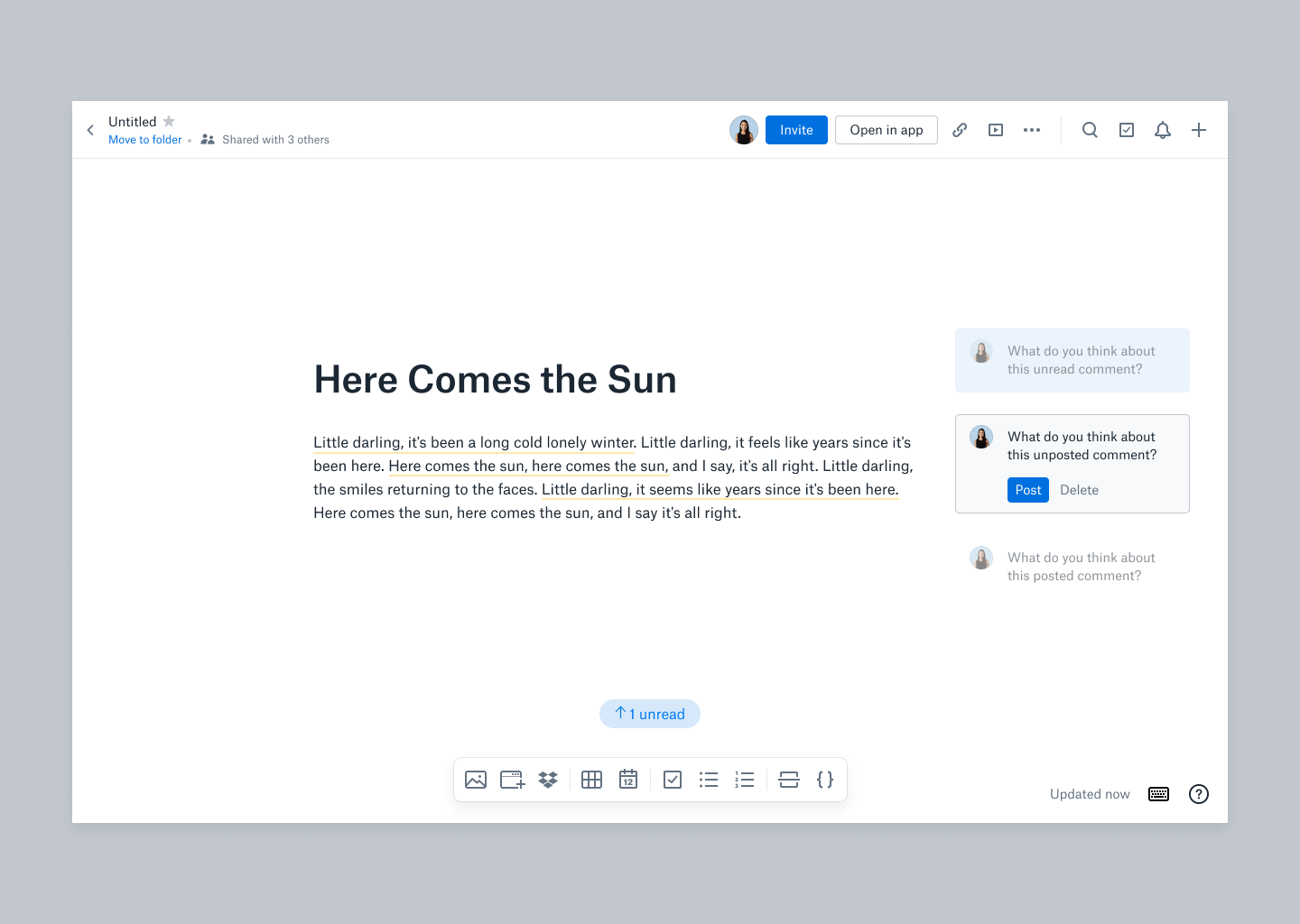
Unposted Comments in Dropbox Paper
Unposted Comments in Paper
Hypothesis
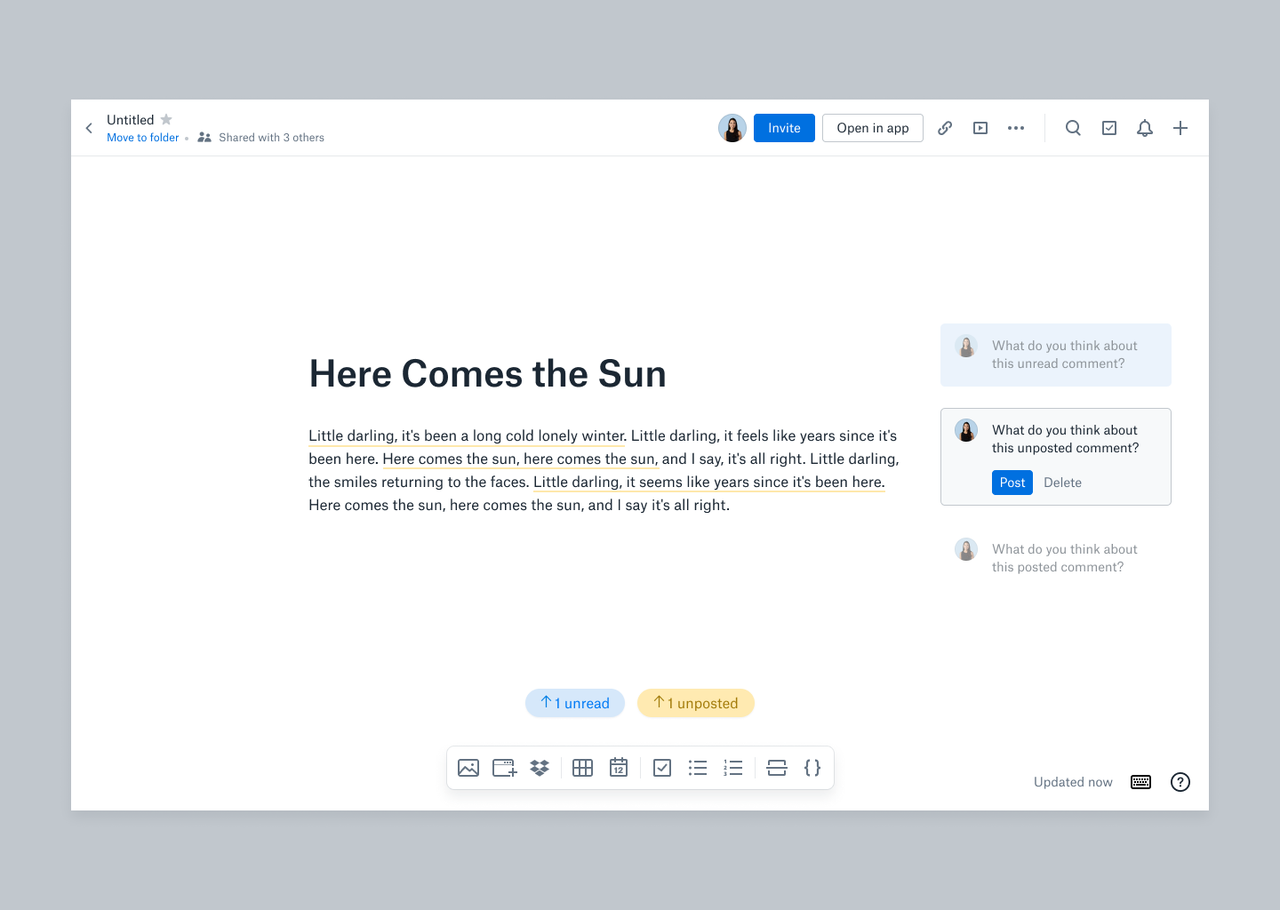
We believe that users are deeply frustrated when they lose their comments and always blame Paper for losing their data, even when it is user error. This is problematic because users lose trust in Paper.
User Flow
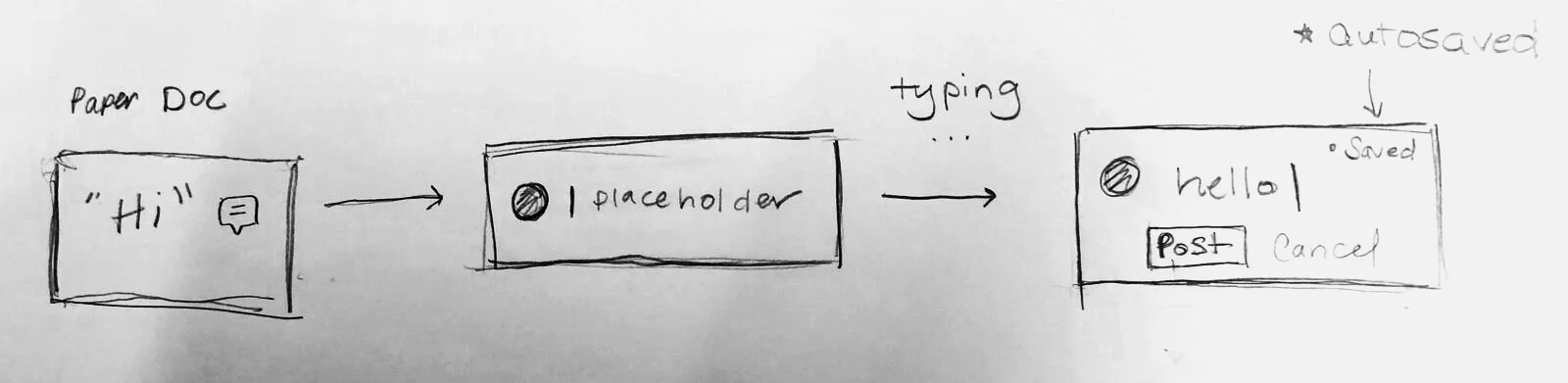
In an ideal world, in-process comments will automatically turn into saved drafts. The bulk of the work here would be behind the scenes, creating a seamless experience. This may or may not be possible, as it would be much more difficult to build.
Select area to comment → Empty comment
Begin writing comment → In-progress comment
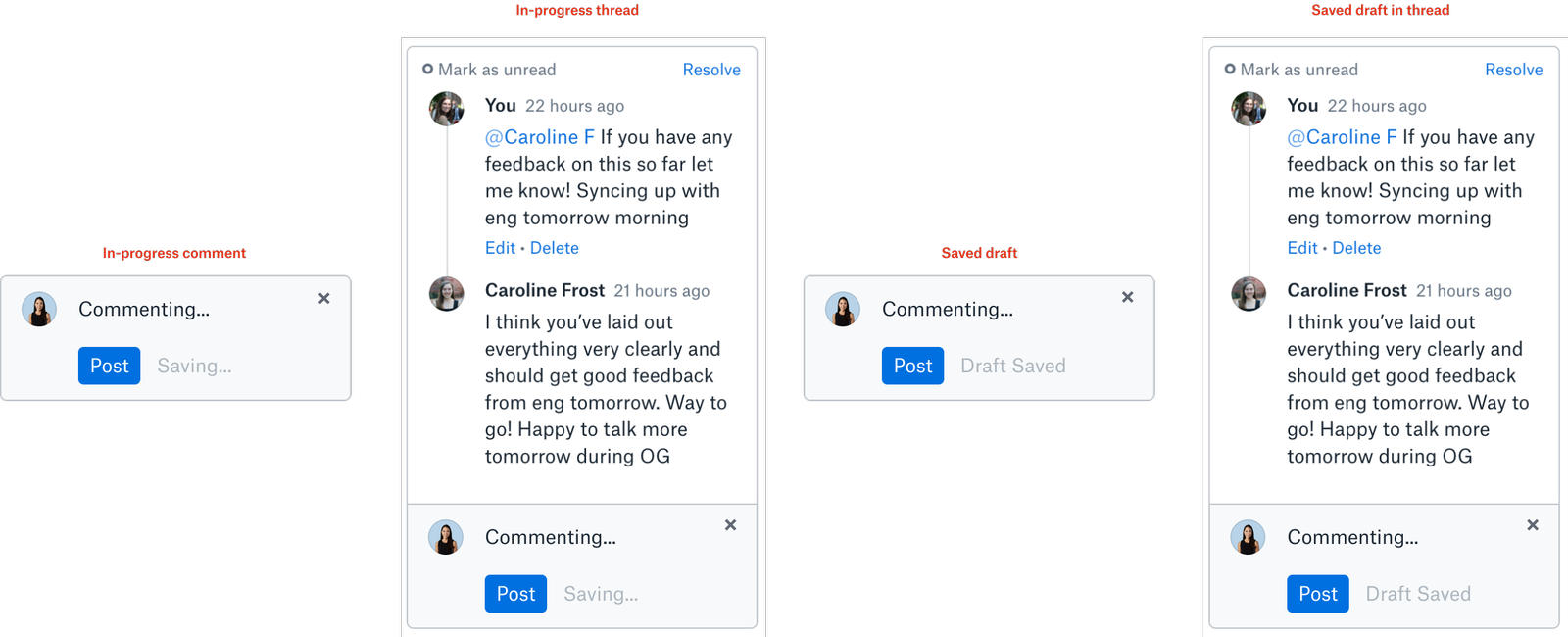
Comment autosaves, becoming a draft → Autosaved Draft
Optional: Exit/refresh page and return later on → Autosaved draft
Optional: Edit comment → Autosaved draft
Post comment → Published comment
Design Considerations
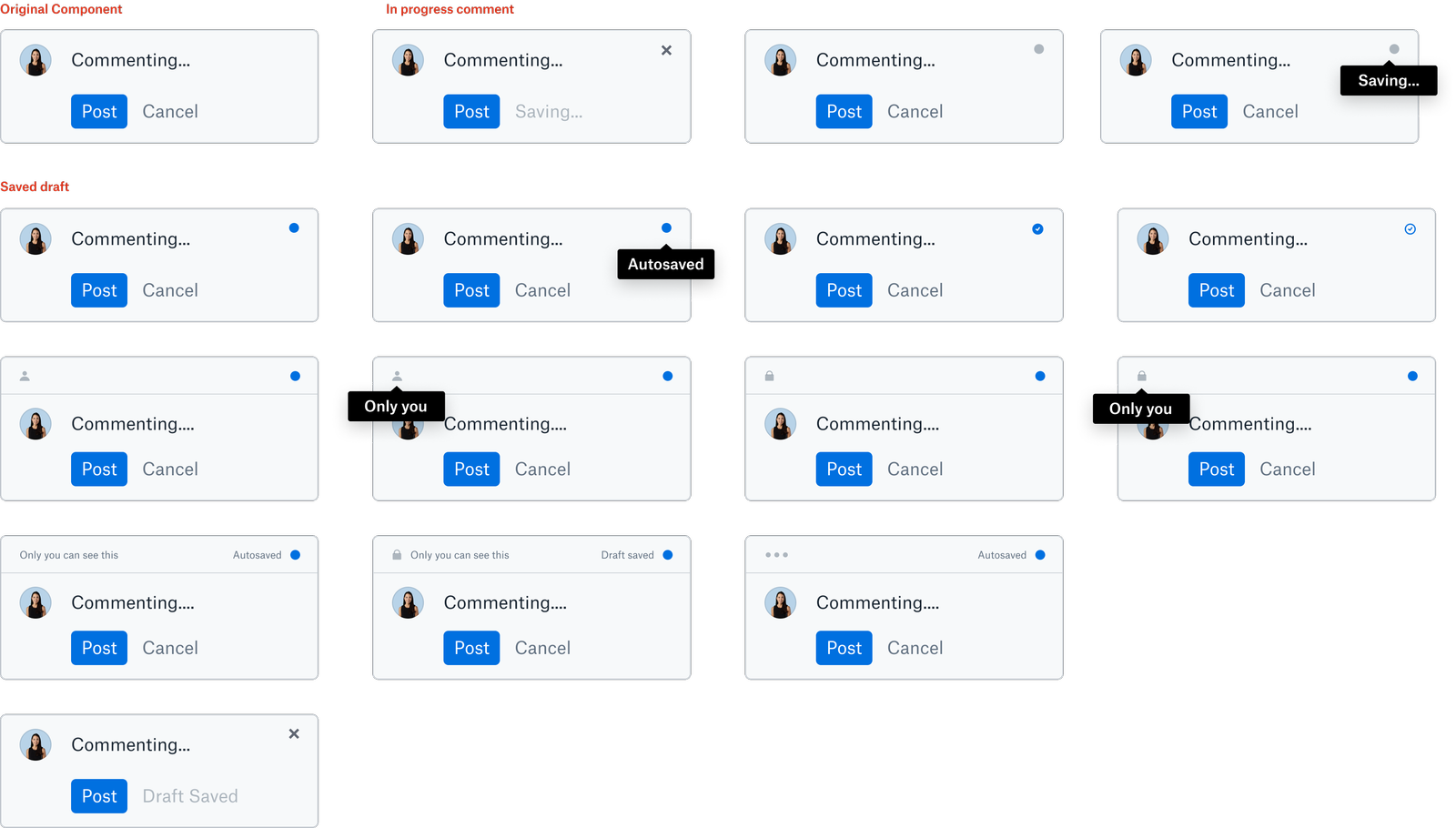
One of the challenges in adding drafts to Paper is figuring out a way to add information without confusing the user or overcrowding the minimal space on each comment bubble.
Existing information
Comment content
“Post” button
“Cancel” option
Location of comment
Information to add
Status of draft (Saving, saved, etc.)
Optional - Emojis?
This button exists when starting a comment but disappears when users begin typing